
What to do when your CRM is missing a feature
Every CRM is a compromise. Vendors build for the 80% of businesses and consciously skip niche scenarios — a specific integration, a custom report, a one-off button somewhere in an obscure module. Sooner or later, every business owner hits the same moment: "almost everything is here, but this one little thing is missing."
What then? In most systems — a support ticket, a fifteen-field "describe your problem" form, or radio silence. RevukCRM has a dedicated button for these cases — describe what you need, answer a few clarifying questions, hit "Submit", and your request is in motion. No forms. From anywhere in the CRM. Two or three minutes.
The "Feature request" button — exactly where you are
In the bottom-right corner of every screen in the CRM, there's a round button with a question mark. This is the feedback hub. Tap it — a menu pops up with several options.
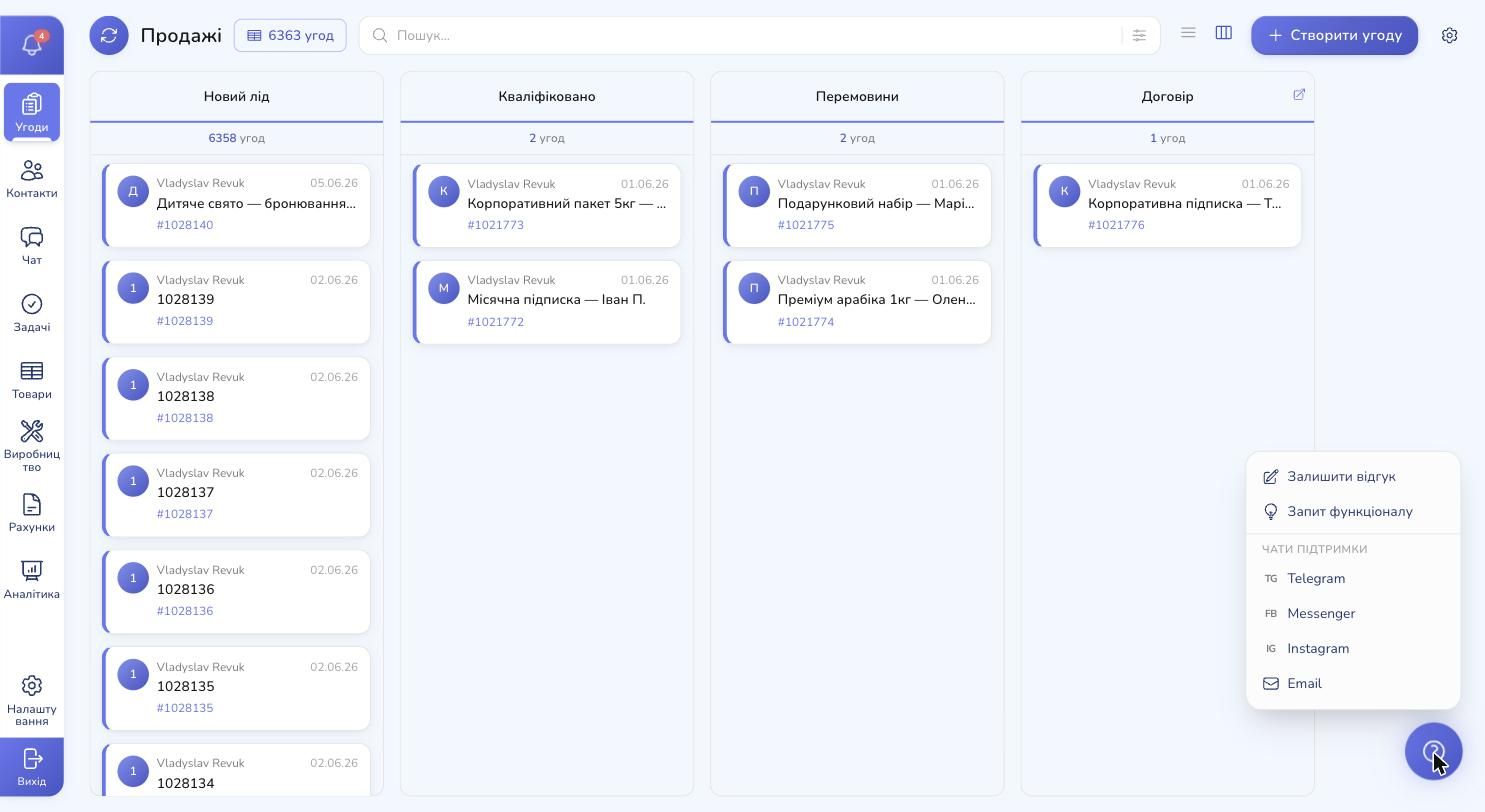
Everything you might need is here:
- Leave feedback — for small comments and complaints
- Feature request — what we're after
- Support chats — Telegram, Messenger, Instagram, Email — for when you need a real human
Click "Feature request" — and you land in your personal request inbox.
Your personal request list
The first thing you see is the list of every request you've ever submitted from your account. For each one: title, date, type (integration, improvement, new feature) and status — submitted, under review, planned, in development, shipped.
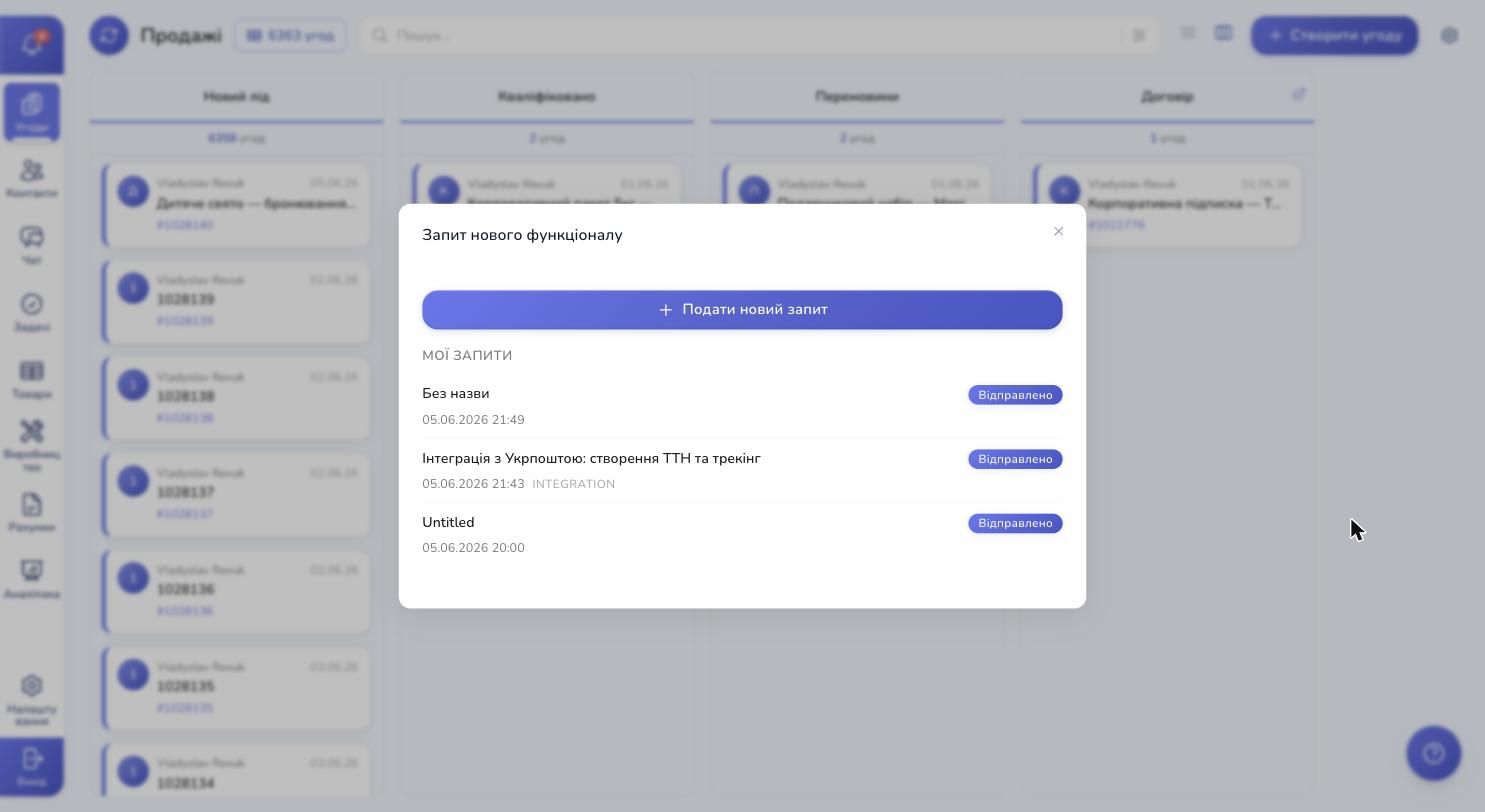
This isn't "lost in a support chat" — you always have a dedicated history. Submit a request, come back next week, see what happened to it. As soon as the feature is live — the status flips to "Shipped".
To submit a new one — tap the big blue "New request" button. That takes you into the chat.
A few questions — and your request is ready
This is the most interesting part. Instead of an empty "describe what you need" form, a chat opens where you describe what you need in plain language — and you get a handful of clarifying questions back, until the full picture of what should be built becomes clear.
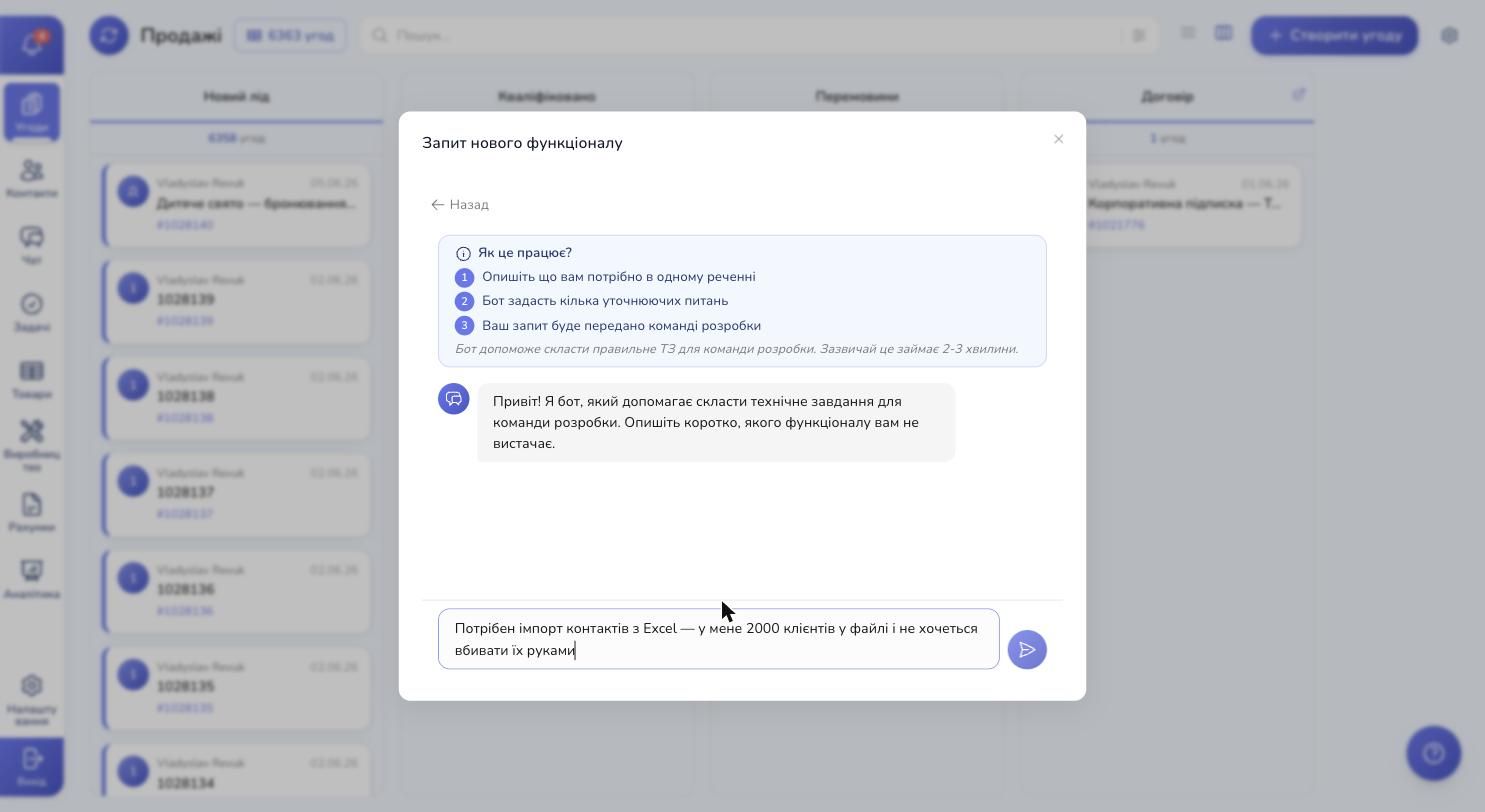
At the top — a short "How does this work?" banner with three steps: describe it in one sentence → you'll get a few clarifying questions → the request goes into motion. At the bottom — the input field where you write, in plain language, what's missing.
You don't have to phrase it perfectly. You don't need to know words like "spec", "mockup" or "edge case". Write in plain language, like you'd write to a friend: "I need to import contacts from Excel, I have 2,000 customers in a file and I don't want to enter them by hand."
You answer the questions — and the "Submit request" button appears. Hit it, and you're done.
What happens after you submit
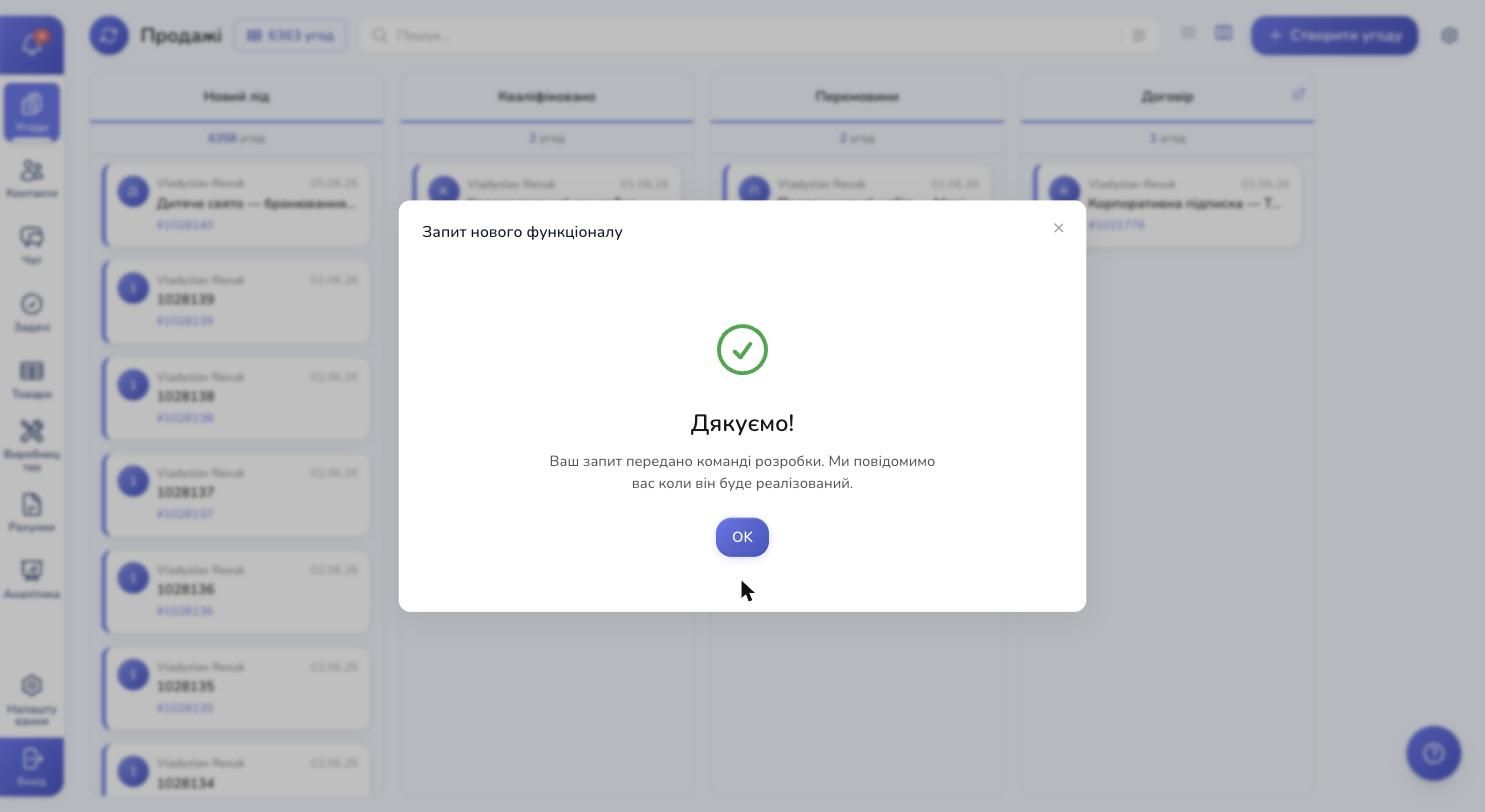
You see the confirmation with a green check. A new row appears in "My requests" with the "Submitted" status. From there, the status will move through "Under review", "Planned", "In development", "Shipped". Each change triggers an in-app notification.
The request is now in motion — in your own words, with the concrete bullets and answers to the key questions. That's the difference between requests that actually go forward — and requests that bounce back as "please describe in more detail".
Which requests make sense — and which don't
You can submit a request for almost anything, but here's where it really shines:
✅ Worth submitting:
- A new integration — "I need a widget for FedEx", "I want to connect Shopify"
- A new field or filter — "Contacts needs a tax ID field", "filter deals by region"
- A new automation — "if a customer hasn't paid for N days, text the manager"
- A new report — "material spend analytics by month"
- A missing button or action — "create a shipment from the deal card"
- Interface behavior — "after payment, the deal should auto-advance to the next stage"
❌ Better through another channel:
- An urgent bug — use "Leave feedback" or message Telegram support directly
- A how-to question — that's a consultation, not a request — also via support
- A complaint about someone's actions — that's an HR issue at your company, not a CRM thing
The takeaway: CRM is a living system
The main thing to take away: a CRM isn't a static product you either buy "as-is" or skip entirely. RevukCRM evolves with its users — your input actually shapes where it moves next.
When something's missing — don't put up with it, don't hack around it, and don't jump to a competitor only to wait for the same pain there. Tap the button in the corner, describe the problem in plain language — and three minutes later, your request is in motion.
That's the real advantage of a modern CRM over off-the-shelf software: the ability to shape the product you use every day.
Try RevukCRM for free
Sign up, add your first customer, and see how much of what you need is already there. And when something's missing — the button in the corner is always one tap away.
Tags