
RevukCRM — Ukrainian CRM for Business: Full Overview
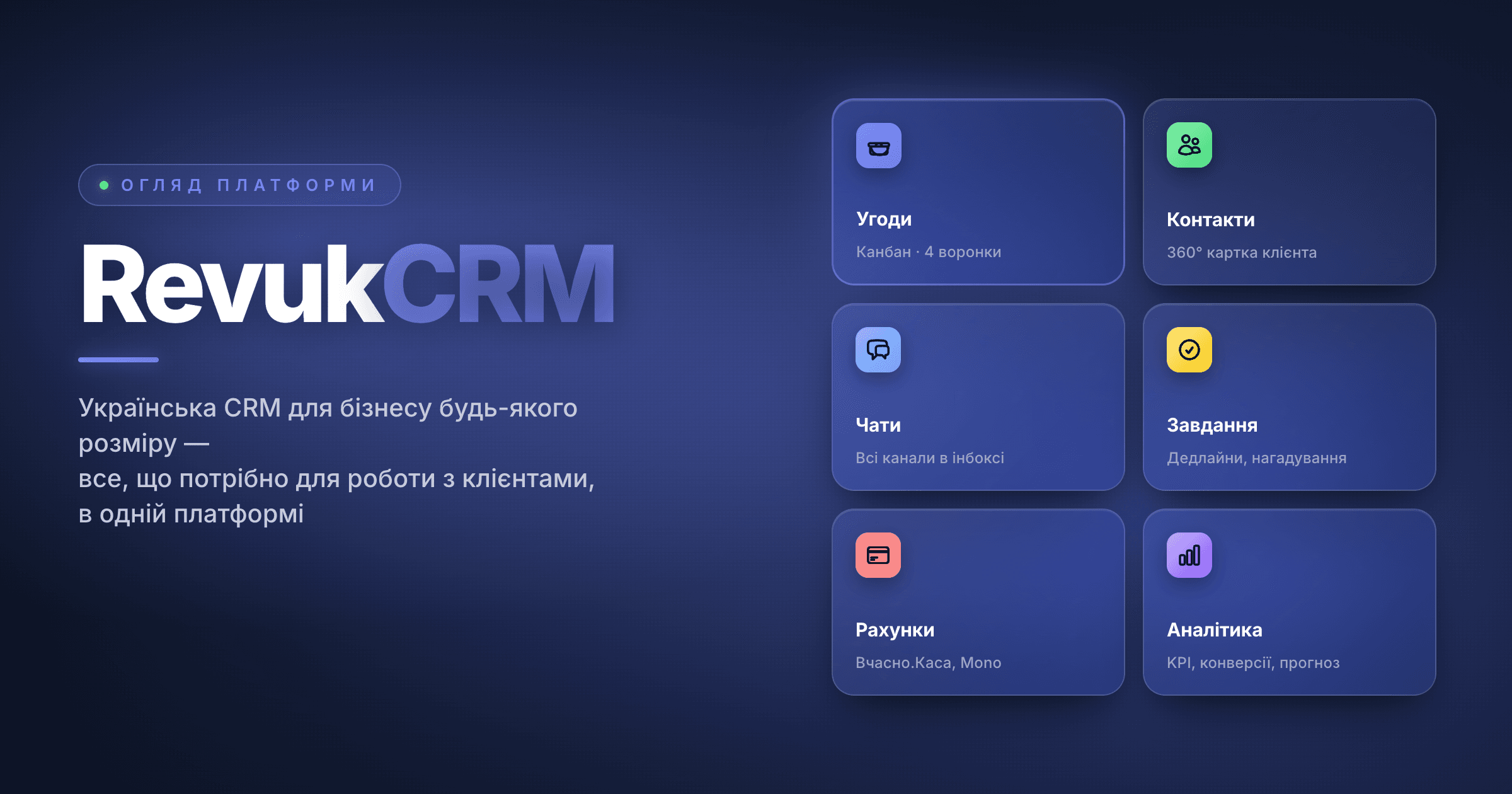
RevukCRM is a Ukrainian CRM for business that brings sales, customer communication, manufacturing, warehouse, invoices, and analytics into a single system. Instead of a dozen browser tabs and half a dozen subscriptions — one tool where every step of a deal is tied to a customer, a product, a receipt, and a responsible manager.
This article is an overview guide: you'll see what RevukCRM is made of, how the modules connect to each other, and what a business gets in the first weeks after switching. No code, no jargon — written in the language of a business owner.
Who RevukCRM is for
RevukCRM is built for small and medium business in Ukraine that runs on repeat sales and order fulfilment. If you're:
- A product store (online or offline) with returning customers
- A made-to-order manufacturer — from a coffee roastery to a furniture workshop
- A service professional or salon managing a customer base
- A wholesale seller or agency with long-running negotiations
- A team of managers processing leads from multiple channels
…this system is for you. Especially if you operate in Ukraine: RevukCRM ships with ready-made integrations for the key Ukrainian services, the Ukrainian hryvnia as a first-class currency, and a complete Ukrainian-language interface.
Modular architecture: turn on only what you need
RevukCRM is built as a set of modules that you toggle for your business. A store with 5 products doesn't need a manufacturing shop — they simply don't turn on the Production module. A service business without inventory doesn't need Products. An agency with manual calculations doesn't need automations.
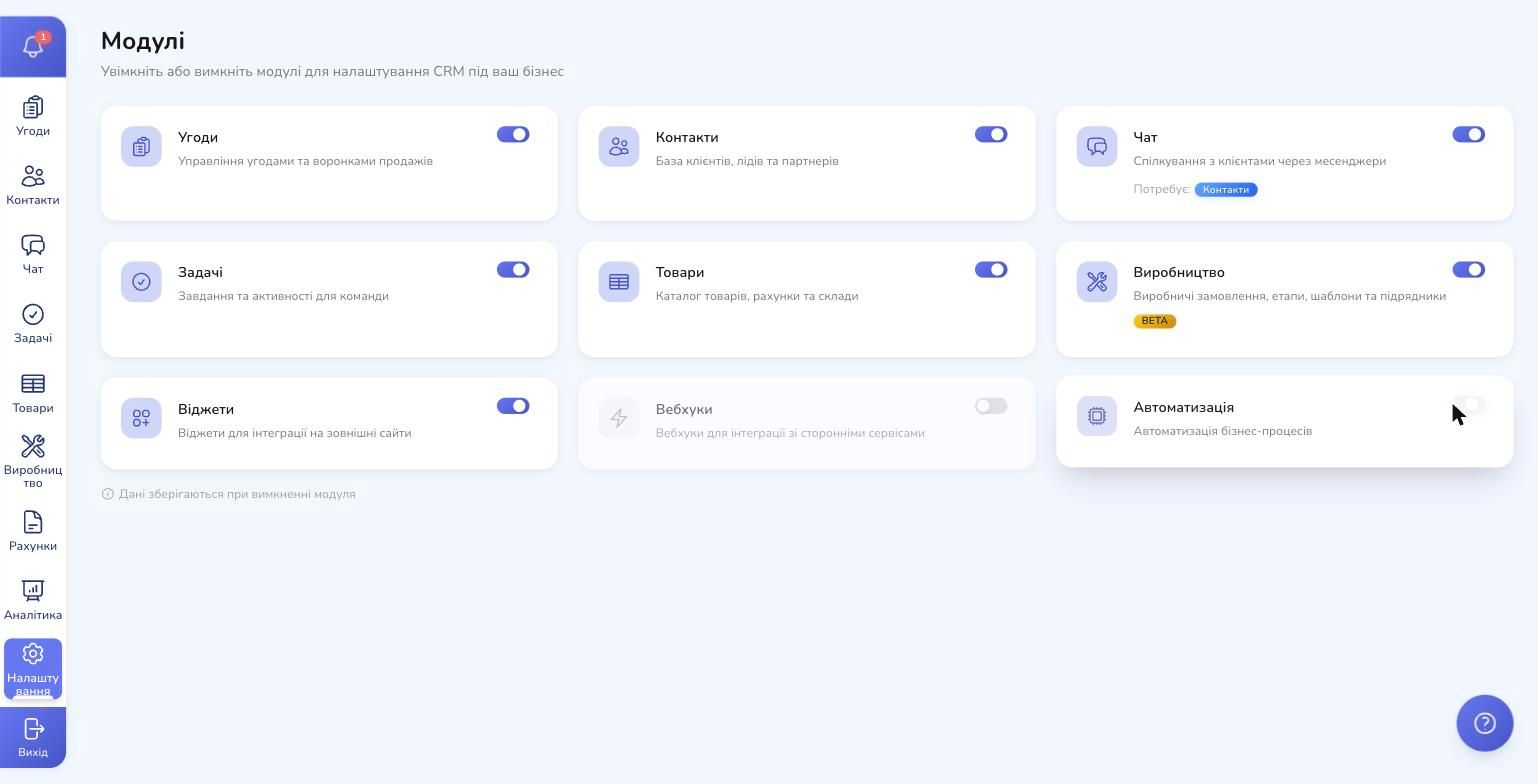
You head to Settings → Modules and flip switches for the functional blocks: Deals, Contacts, Chat, Tasks, Products, Production, Widgets, Automation, Webhooks. Your data is preserved — a disabled module just hides from the sidebar. Re-enable it and everything is right where you left it.
This approach pays off in one big way: the interface isn't cluttered with features you'll never use. Start with the basic 4–5 modules, add more as the business grows.
1. Every customer in one place — and each in a 360° view
Contacts in RevukCRM aren't just a list of names with phone numbers. Each contact is a 360° customer profile: first name, last name, patronymic, phone, email, source (where the lead came from), responsible manager. Plus custom fields tailored to your business — from "favourite coffee flavour" to "child's birthday".
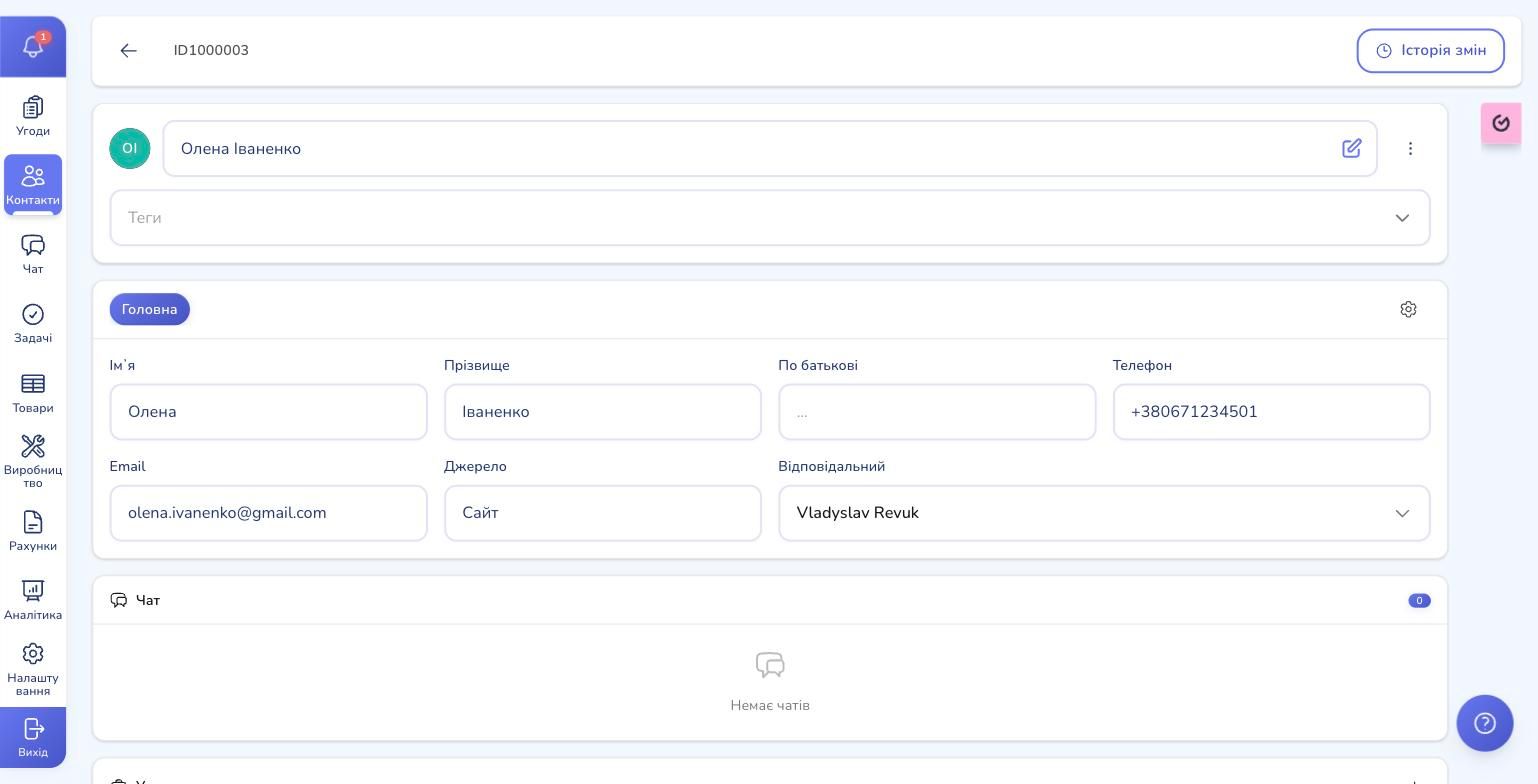
From the contact card you see the full interaction history:
- Which deals you've worked on (open, won, lost)
- Which chats happened across messengers
- Which tasks are in progress for this customer
- Which invoices have been issued and paid
- Which tags apply (e.g. "VIP", "wholesale", "regular")
A manager picking up the phone for the first time can see the context in 10 seconds: when the customer last bought, what they bought, what was previously discussed, and what the next task is. This is the level of service customers normally only get from large companies.
Every field — standard or custom — becomes available in filters. In a minute you can find every customer matching "birthday this week" or "haven't purchased in 60+ days" — and send a relevant follow-up.
2. A sales pipeline where nothing slips through
The heart of any CRM is the deal pipeline (kanban). Each deal is a card you drag between statuses as the customer progresses: "New Lead → Qualified → Negotiation → Contract → Won".
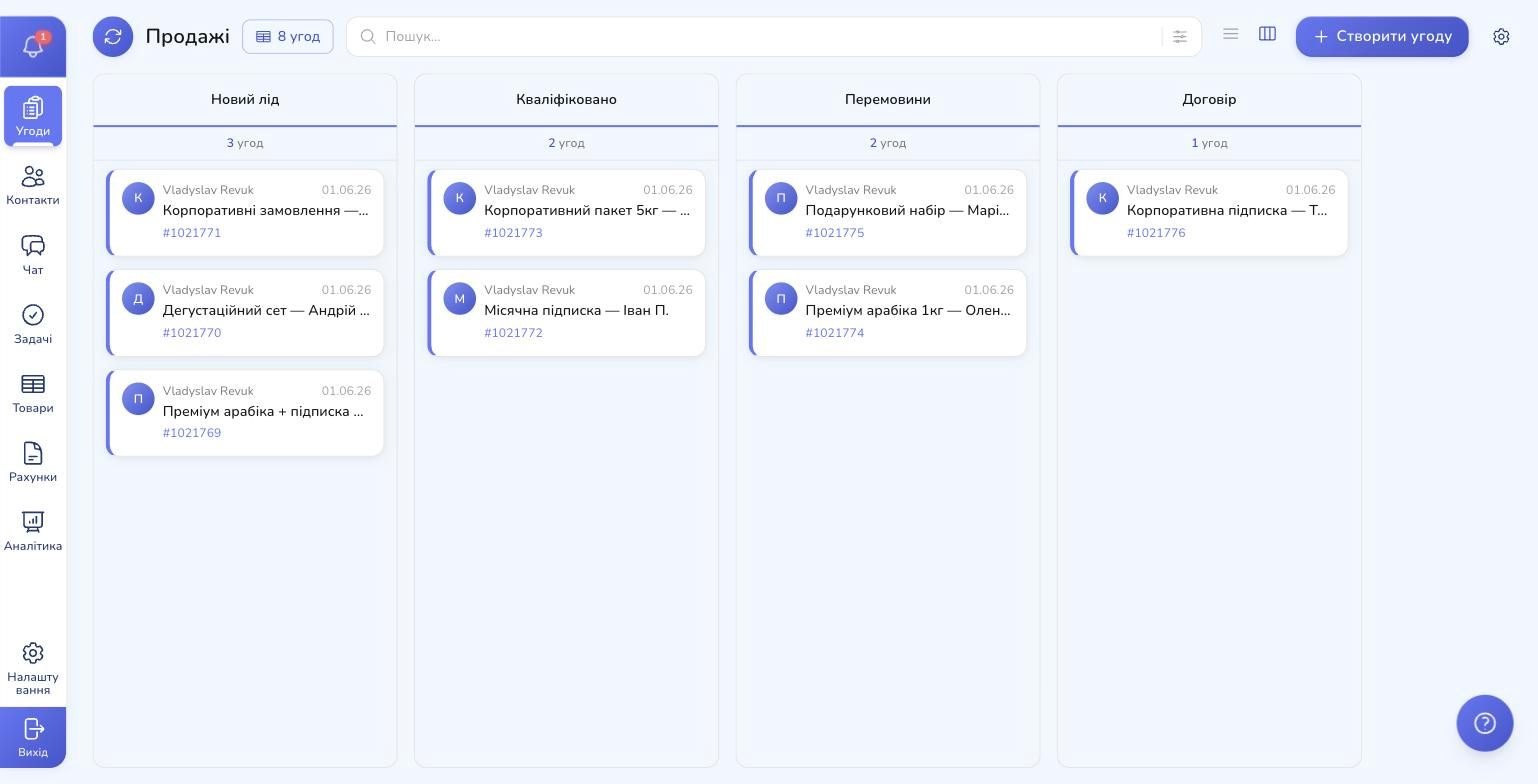
What matters here:
- Custom pipelines per business line. Coffee sales, corporate orders, barista courses — each has its own set of statuses. You're not stuck with one universal pipeline
- Custom statuses. RevukCRM doesn't impose "lead / negotiation / deal" — you name them the way your team actually says them. "Brief gathered", "Manager review", "Awaiting prepayment" — any flow you want
- Each column shows a counter for how many deals and what total value are currently in this status — you see the load of your sales engine at a glance
- Drag-and-drop is instant — status updates in real time, history is logged
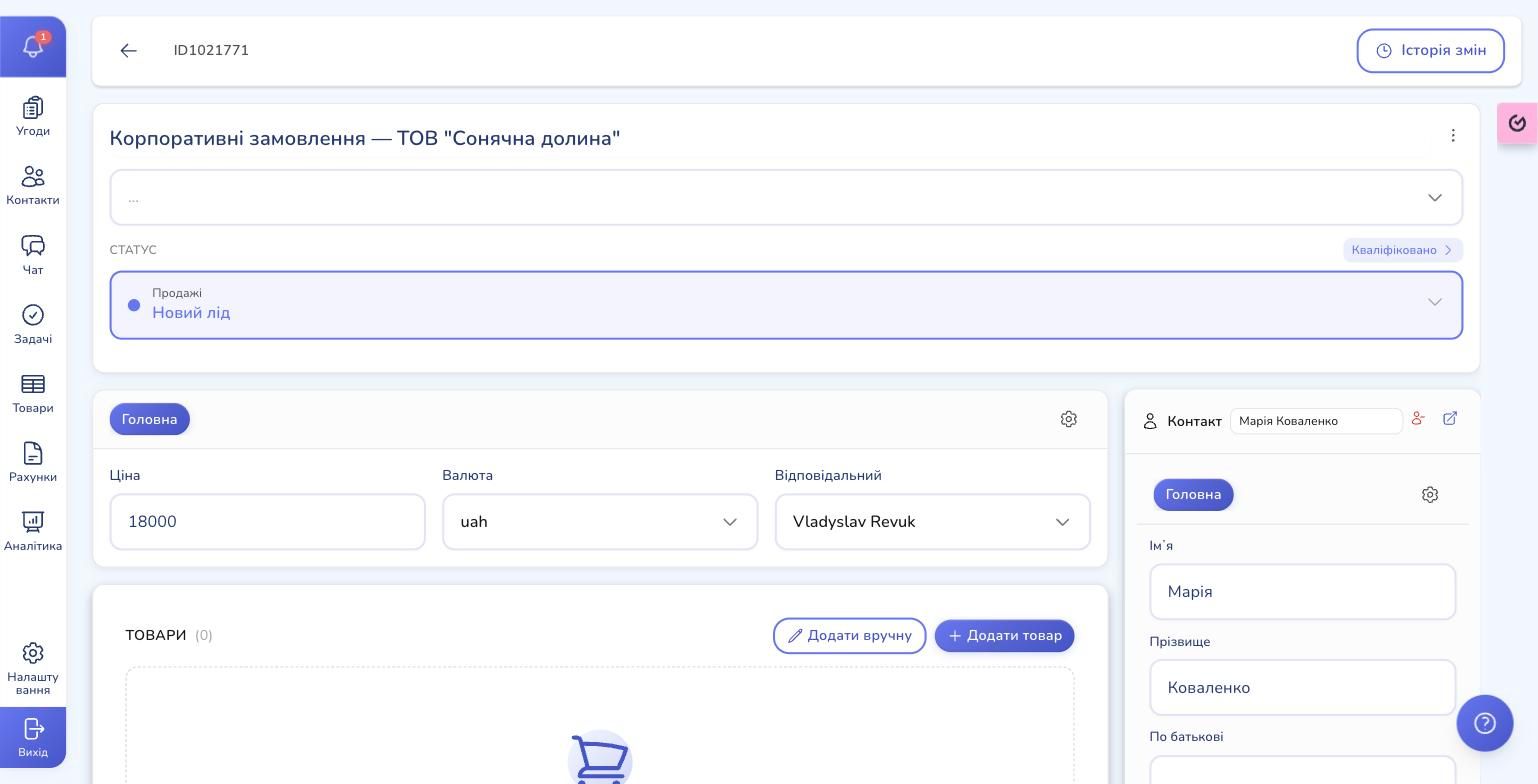
A deal card is a full workspace. Inside: price, currency, attached contact, list of products/services, payments, tasks, chats, notes, and custom fields.
When a deal is lost, you record the reason for loss. A month later analytics shows the breakdown: "Too expensive" 40%, "Found another supplier" 25%, "Just disappeared" 20% — and you see where the biggest leaks are.
3. Every customer channel — in a single inbox
A customer writes you on Instagram today, calls tomorrow, and sends a document on Telegram the day after. Keeping a separate tab per messenger means missed replies and broken deals.
RevukCRM collects every channel into a single inbox:
- Telegram — a business bot and a personal account
- Viber — a bot for broadcasts and notifications
- Instagram Direct — via the official Meta API
- Facebook Messenger — same API
- WhatsApp Personal — for one-on-one chats
- TikTok Business Messaging — the newest channel for e-commerce
Each conversation is automatically tied to a contact and a deal. If a customer writes from an unknown number, RevukCRM creates a new contact and immediately suggests a manager pick up the thread.
The inbox supports chat statuses (new, in progress, on hold, closed), reply templates (categorised by topic), and routing — new inquiries are distributed among managers by queue, percentage, or first-come-first-served. If a manager doesn't reply in N minutes, the chat is automatically reassigned.
4. Tasks: the team never forgets a commitment
Every "I'll call you back tomorrow" should become a task in the system. In RevukCRM, tasks are a full-featured module:
- Task types — call, meeting, document delivery, other (configurable)
- Priority — low, medium, high, urgent
- Statuses — new, in progress, on hold, blocked, completed, cancelled
- Dates — start, deadline, or all-day
- Reminders — absolute (specific time) or relative ("30 minutes before the meeting")
- Subtasks — for larger work with hierarchy
- Recurrence — daily, weekly, monthly, by weekdays
- Attachments — to a contact, deal, or chat
- Watchers — colleagues who see updates without owning the task
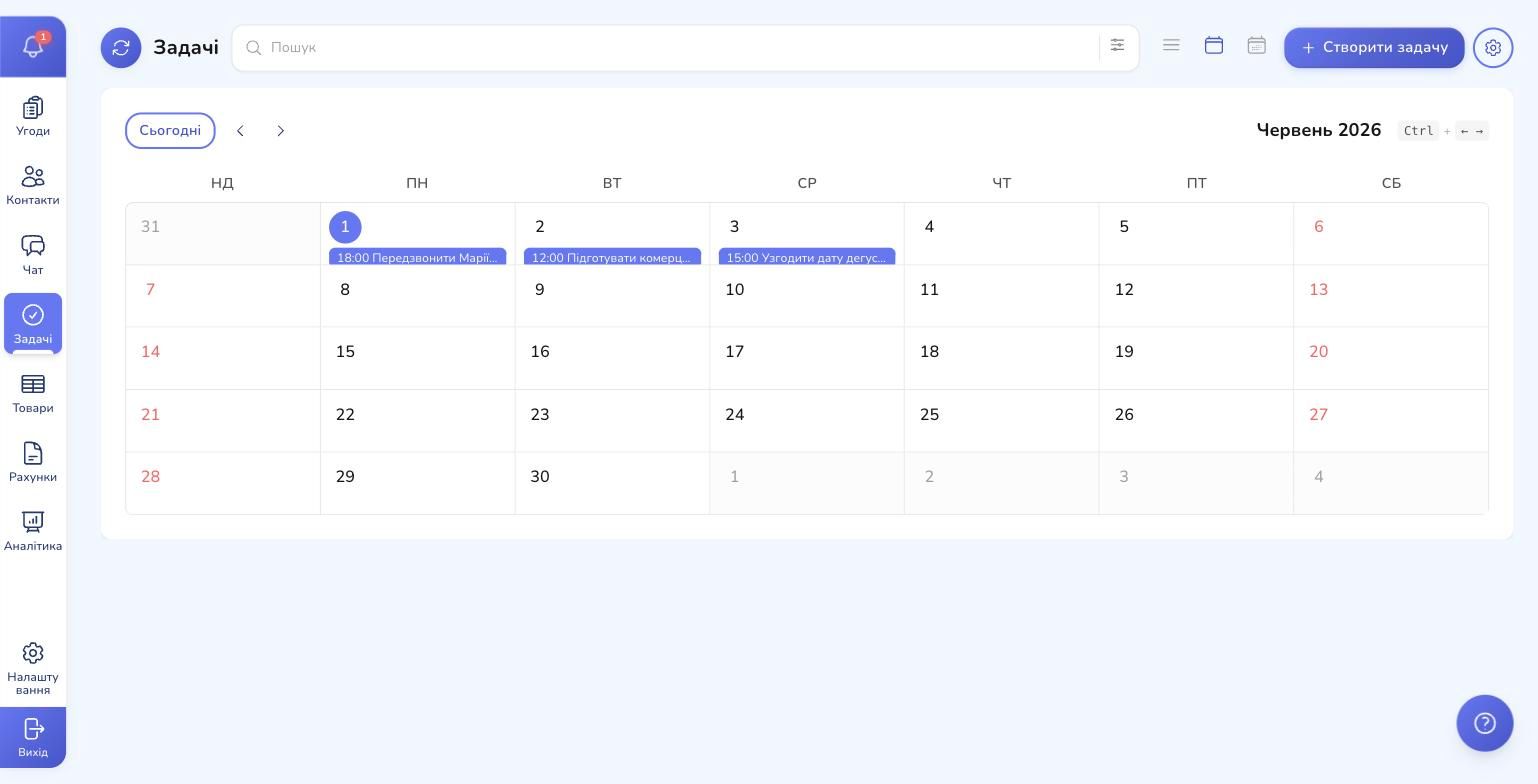
The calendar view shows the whole team's tasks at a glance — think Google Calendar, but everything is linked to customers and deals. Overdue tasks are highlighted in red so nothing falls out of focus.
Managers see each team member's workload: how many tasks are in progress, how many are overdue, how many were completed this week. This converts "it feels like everyone is busy" into hard numbers.
5. Automation: work that happens on its own
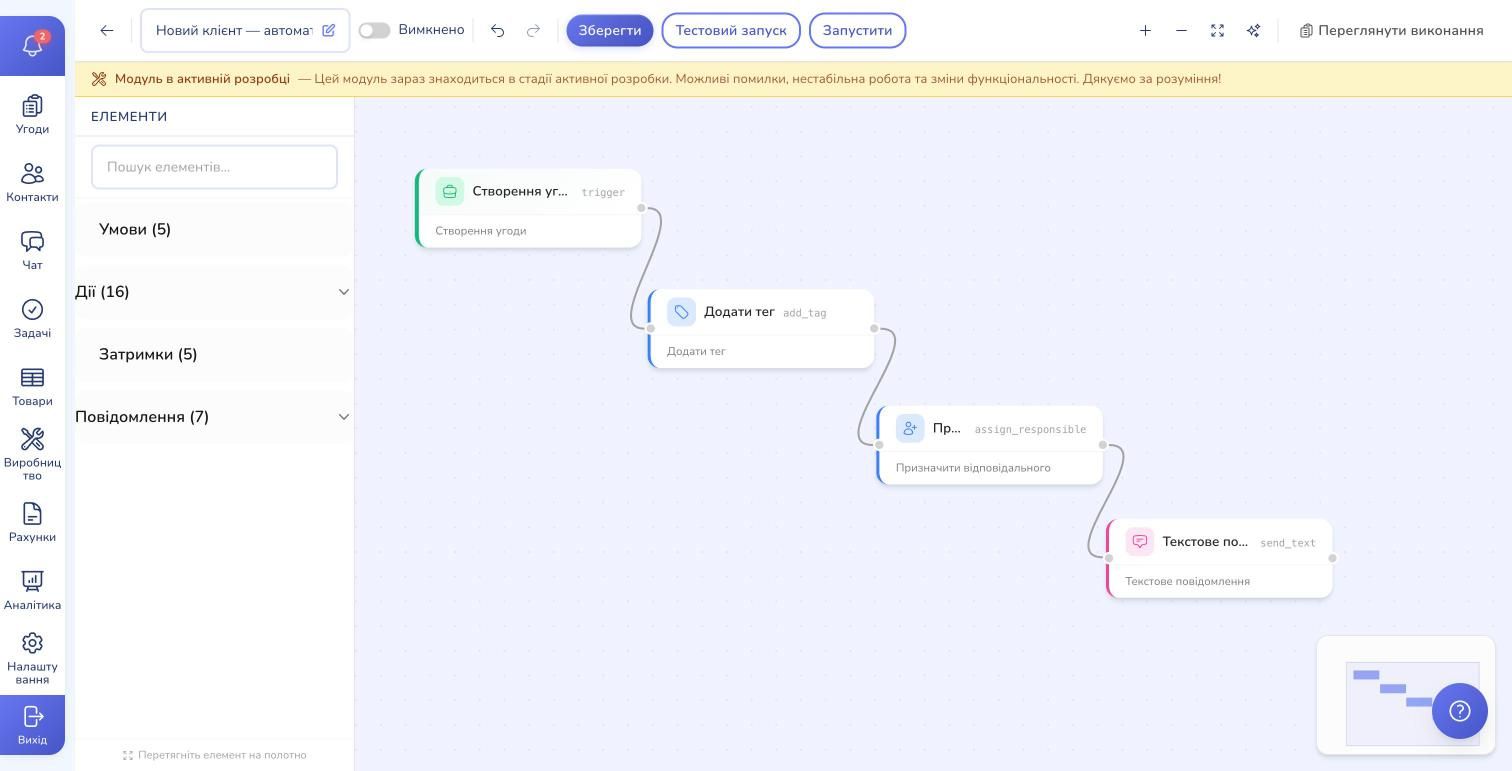
The most powerful module in RevukCRM is business process automation. Not "remind me" — a full workflow builder with conditions, branches, loops, and delays.
What this means in practice:
- Triggers start an automation — new deal, status change, new chat, overdue task, a specific field changed, or just on a schedule (cron)
- Actions do the work — update a field, send a chat message, create an invoice, assign a responsible manager, add a tag, run a widget action (e.g. issue a fiscal receipt)
- Conditions branch the flow — if amount > UAH 10,000, escalate to a director. If the customer has the VIP tag, send a personalised message
- Delays — wait 2 hours, wait until a specific date, wait for an event
- Template variables — message bodies pull data from the contact and deal: customer name, deal price, order id
A few real scenarios that solve common pain points:
- New lead → automatic greeting in the same channel the lead arrived from
- Deal stuck in a status for > 3 days → reminder to the manager + automatic call to the customer
- Status changes to "Paid" → automatic fiscal receipt issued and forwarded to the customer
- Customer's birthday (cron trigger at 9 AM) → personal message with a discount code
- Task "Brief gathered" completed → automatic commercial offer drafted from the deal data
Every automation has execution logs — you see what fired, what didn't, and why. And a test run mode where you can dry-run a flow on one deal before turning it on for the whole pipeline.
6. Production: a feature most CRMs don't have
This is a unique RevukCRM advantage that's missing from most CRMs on the market: a complete manufacturing module.
If you make a product to order — a coffee roastery, a furniture workshop, a bakery, a print shop, a tailoring studio — you know the pain: the CRM says "deal in progress" but you can't actually see whether the fabric was cut, the seam was welded, or the coffee reached the right roast level. Production is detached from sales.
RevukCRM stitches it into one flow:
- Production templates — the sequence of stages each product goes through. For example: "Weigh beans → Roast → Cupping → Pack → Hand over to delivery"
- Materials (BOM) — each stage lists which materials are consumed (beans, packaging, fuel). Formulas can depend on quantity: 1 kg of coffee = 1.02 kg of beans + 1 packaging unit
- Assignees — every stage goes to a specific user or subcontractor (external)
- Defects — a dedicated registry of defect reasons with capture: "Beans burnt during roasting", "Wrong dosing". You can see where losses happen
- Rework — return goods for reprocessing
- Material write-offs — automatic when a stage completes. Stock decreases on its own, no manual inventories needed
- Cost price — sum of material costs + labour costs (by hourly rate of the user/role). You know the actual cost of one order
- Reports — by stages, time, materials, subcontractors
The best part: production is wired into deals via automation: deal status → production order automatically created → final stage completed → deal status flips to "Ready to ship". No duplicate bookkeeping.
7. Warehouse, purchasing, suppliers
If you sell physical goods, RevukCRM tracks inventory across warehouses, purchase orders from suppliers, and stocktakes.
- Suppliers — a directory with contacts, supply history, payment terms
- Supplies — you create an order, status moves from "Expected" → "Received". You can import from Excel for large product lists in one click. Tracking numbers and separate shipping cost accounting are supported
- Stocktakes (inventories) — record discrepancies between physical and book stock: shortage, surplus, financial impact. A separate table flags products with stale quantities
- Stock balances — by warehouse and by product
All of this works in concert with production: when a stage completes, materials are auto-deducted from stock; when stock is short, a purchase order is suggested.
8. Product and service catalogue
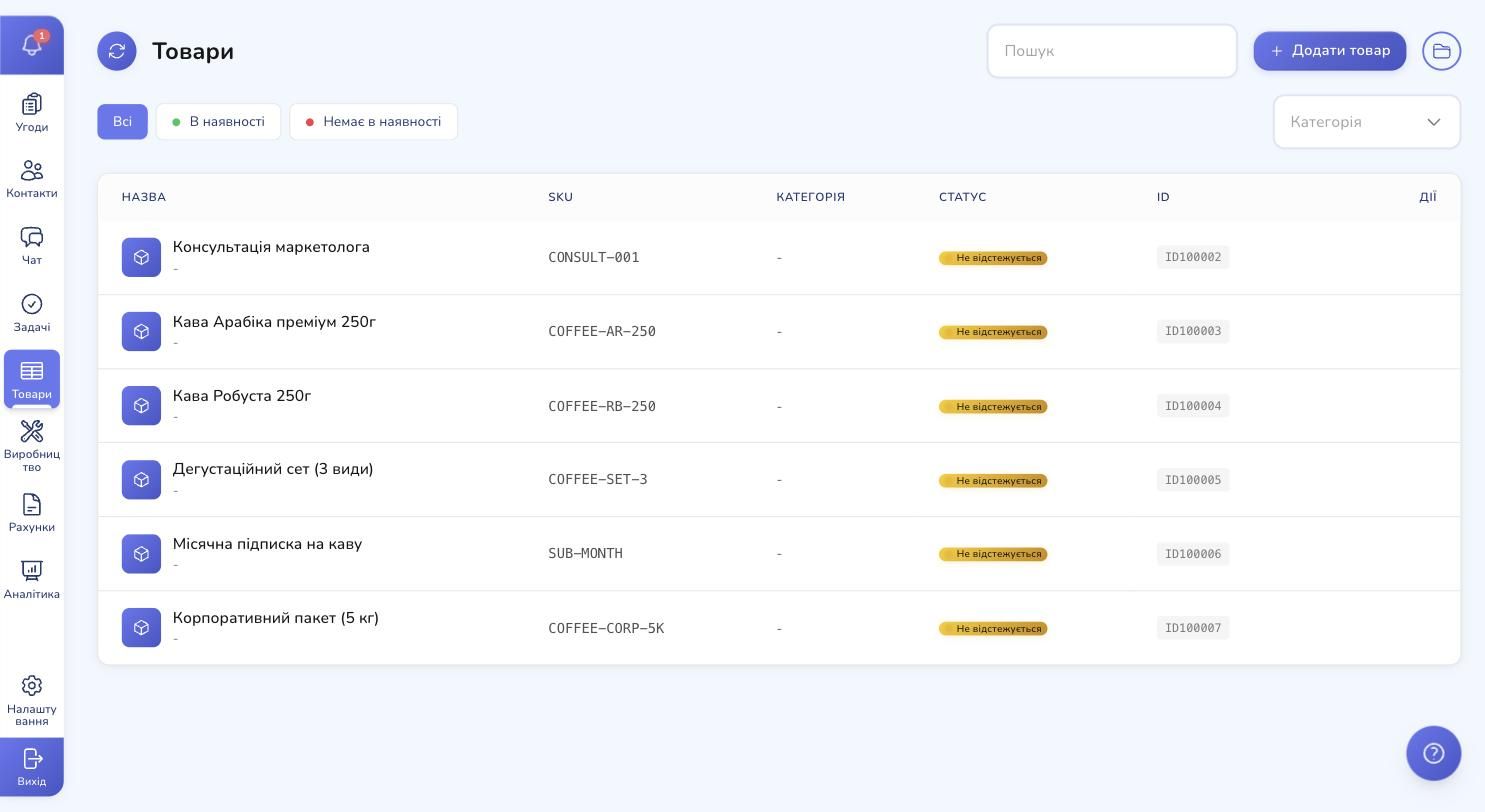
The catalogue in RevukCRM handles products and services through the same interface. Each item has a name, description, SKU, image, availability status, prices (base, cost, discount), weight, and dimensions.
For physical goods you get inventory tracking and variants (different sizes, colours, packages of the same product). For services, variants aren't needed — they're simply not tracked.
The catalogue plugs into every other module:
- Deals — products are added to the card, pricing is filled in automatically
- Production — products can be "manufactured" with their own stage templates
- Invoices — items from the catalogue populate the line items
- Warehouse — balances update with every deal and production write-off
9. Invoices, payments, fiscal receipts
As soon as a deal moves toward "Contract" — one click from the card creates an invoice. It auto-fills products from the deal, price, currency, and customer details.
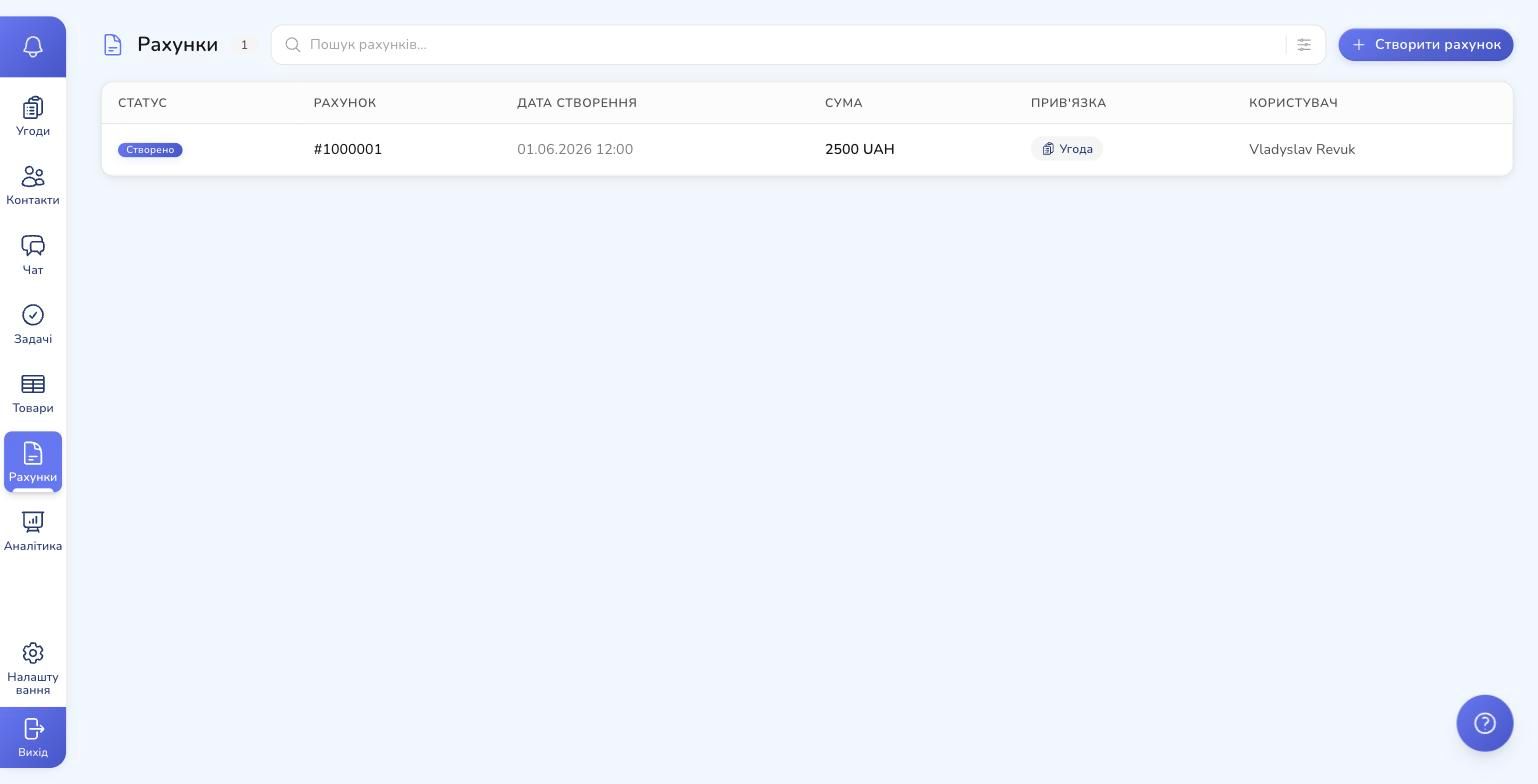
What the Invoices module covers:
- Statuses — created, issued, partially paid, paid, overdue, refunded, cancelled
- Discounts — fixed amount or percentage
- Multi-currency — UAH by default, but USD, EUR, and others are supported
- Payments — add a payment to an invoice: method, date, amount, note. The invoice status updates automatically
- Links — to a deal and a contact, with the ability to see everything per customer
For the Ukrainian market there's out-of-the-box fiscalization through a connected pRRO (software fiscal device). A receipt is issued straight from the deal card — manually with one click or automatically via a scenario like "deal status = Paid → issue receipt". All operation types (sale, prepayment, refund, X- and Z-reports) work out of the box.
10. Analytics: dashboards for owners and managers
Every piece of data you put into RevukCRM aggregates into the Analytics module. Not one page with a couple of charts — but five tabs for different audiences:
- Dashboard — top business KPIs: revenue, forecast, funnel, contact sources, win rate
- Sales — detailed funnel by status, forecast (regular and weighted), in-progress by status
- Contacts — lead sources (where traffic comes from), dynamics by day/week/month
- Team — manager leaderboard by deals, activity, loss reasons
- Communications — messages sent, average response time, activity heatmap
- Tasks — created / completed / overdue, completion rate
- Invoices — issued, paid, overdue, payment rate
Filters: period (today / week / month / quarter / year), pipeline, specific manager. Data export. Forecast based on actual conversion, not gut feel.
An owner opens this once in the morning and in 30 seconds sees what's burning, where you're behind, who's the strongest performer. No spreadsheets, no boring reports.
11. Integrations: ready-made widgets + your own via API
RevukCRM is an open platform. The widget marketplace already includes ready integrations with the most popular Ukrainian and global services — fiscalization, shipping, telephony, SMS broadcasts, and every major messenger. All of them are installed with one click from settings, no developers needed.
If you need an integration with a service that isn't in the catalogue (your 1С installation, warehouse software, a specific payment provider or an internal company service) — RevukCRM lets you build a custom integration without touching the system core:
- Custom widgets — your developer builds a widget with custom logic, UI, and a set of actions. It becomes a first-class part of the CRM, appears in your company's marketplace, and is callable from the automation builder
- Public API — full REST access to deals, contacts, products, invoices, tasks. Create, read, update, delete any entity from your own code
- Webhooks — RevukCRM pushes events to your server (new deal, status change, new payment, etc.) so your service reacts instantly without polling
- HTTP-request actions in automations — even without a custom widget: CRM trigger → HTTP call to your service → workflow continues with the result
The platform works like lego: many ready-made bricks, and when you need something custom — you build it without rewriting the CRM.
12. Team, roles, access control
If you have more than two managers, role-based access kicks in. Every CRM user has one role, and the role defines what this user sees and can do.
- Flexible roles — build your own from scratch for your team. For example, "Workshop Barista" — only sees production tasks without salary and finance data
- Access level — full (everything), personal (only own), group (own group), responsible (where I'm the assignee)
- Per-module permissions — CRUD on each module (Deals, Contacts, Tasks, etc.)
- Hourly rate — for production cost accounting, inherited from the role, overridable per user
Groups unite users by department or territory. They make chat routing easy: "All inquiries from Kyiv → Kyiv group".
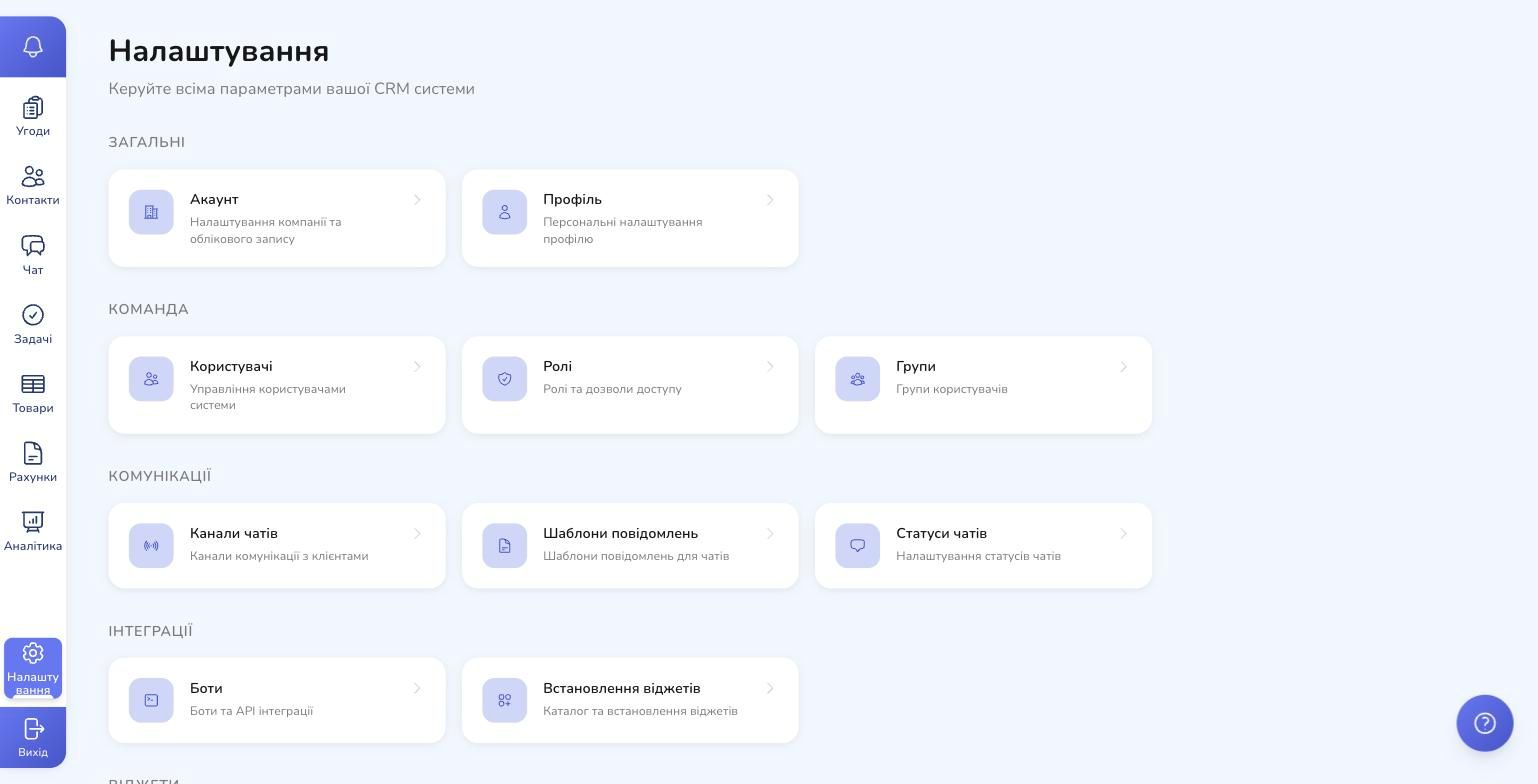
All of this lives in one place — Settings. Same with chat channels, message templates, chat statuses, custom fields, interface language (Ukrainian/English), and theme options.
How to get started: 30 minutes from sign-up to first screens
RevukCRM doesn't require developer onboarding to start. The real path of a new user:
- Sign up at revukcrm.com — you get an account on your company's subdomain
- Account setup — company name, currency (UAH), timezone, language. ~2 minutes
- Build your first pipeline — name it after your business process. Configure 4–6 statuses. ~5 minutes
- First contact and first deal — add a customer and start your first case on the kanban
- Connect your first channel — a Telegram bot or Instagram via the official Meta API. ~10 minutes
- First automation — for example, "new chat → automatic greeting". ~5 minutes
In 30 minutes you have a working system with a real customer, a real conversation, and a real deal in your pipeline.
More advanced modules — production, warehouse, custom fields for your niche — are added as you grow. You don't need everything at once.
What's next
RevukCRM is a living system that keeps growing. The team ships new integrations regularly (TikTok joined in May 2026), expands the production module, and adds new triggers and actions to automations.
If you want to dive deeper into a specific feature, here's where to go next:
- Deal pipelines in depth — full guide on pipelines (coming soon)
- Automation: 10 ready-made scenarios — real working flows for Ukrainian business (coming soon)
- Production module step by step — from your first template to actual unit cost (coming soon)
- Custom widgets and API — how to plug in services that aren't in the marketplace (coming soon)
RevukCRM doesn't solve your business problems for you — but it removes every tiny barrier between you and the work with the customer. Fewer tabs, fewer context switches, fewer "I forgot to write it down" — more time on what brings in money.
Try RevukCRM for free
Sign up and have a working CRM with your pipeline, first customers, and a connected messenger in 30 minutes. No developers, no long onboarding — everything works out of the box.
Tags