
How to see the deals your manager forgot
What a forgotten deal costs
Olena Melnyk asked for a quote on a wedding table. Your manager replied on day one and promised to come back with numbers. The card landed in "Consultation" and stayed there. A week went by, then another.
Nobody forgot on purpose. The board has dozens of cards, and one that hasn't moved looks exactly like one picked up an hour ago. A deal worth 18,500 UAH quietly went to a competitor.
What you will see every morning
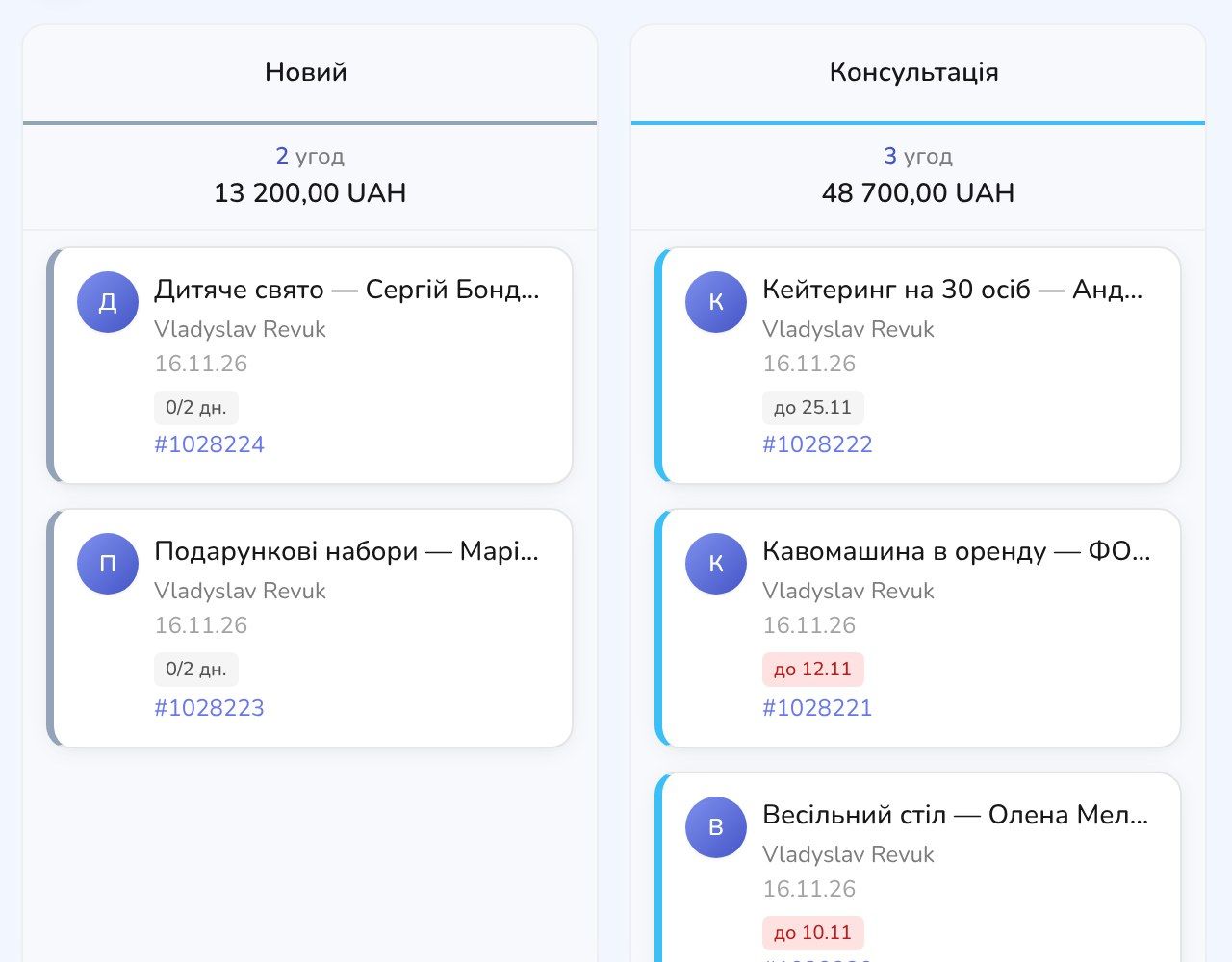
You open the board and see red badges on the cards that have gone over their limit. In our test example, those are "Wedding table" and "Coffee machine rental". Together they are worth 24,700 UAH. "Catering" is still within its limit, so its badge is grey.
How many deals like that do you have right now? If you can't say, they are probably sitting there waiting.
How to set a stage time limit
Open a pipeline under "Deals" and click the gear in the top right corner of the board. In the column you need, click "Add setting" and choose "Stage deadline". For the "New" stage, pick "N days" and type 2: a new inquiry shouldn't wait longer than two days. Click "Save" at the bottom of the column.
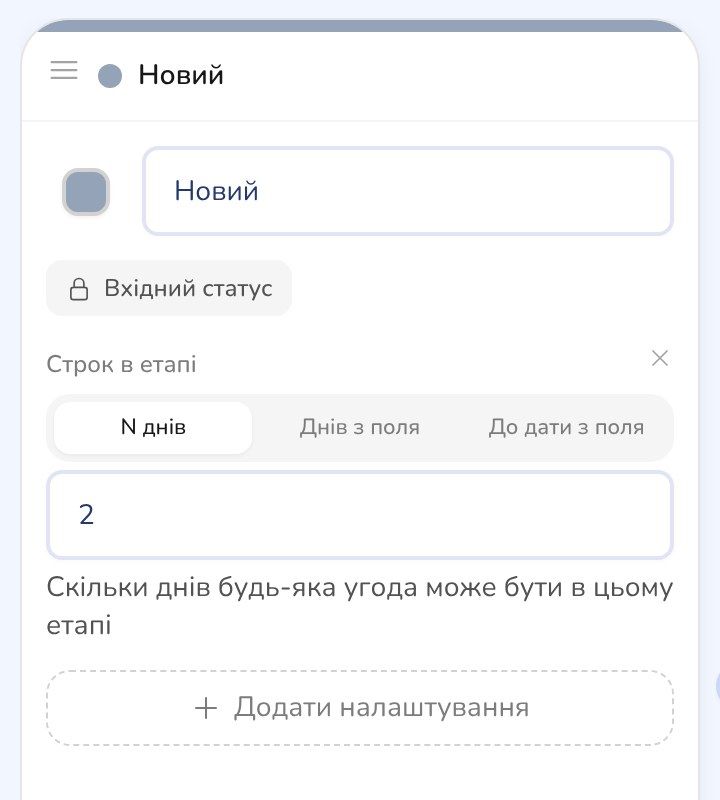
If the limit depends on the deal, there are two more options. "Days from a field" takes the number of days from a numeric field on the deal. "Until date field" takes a date from a Date or Date and time field of the deal, for example "Reply to the client by".
How to see only the stuck ones
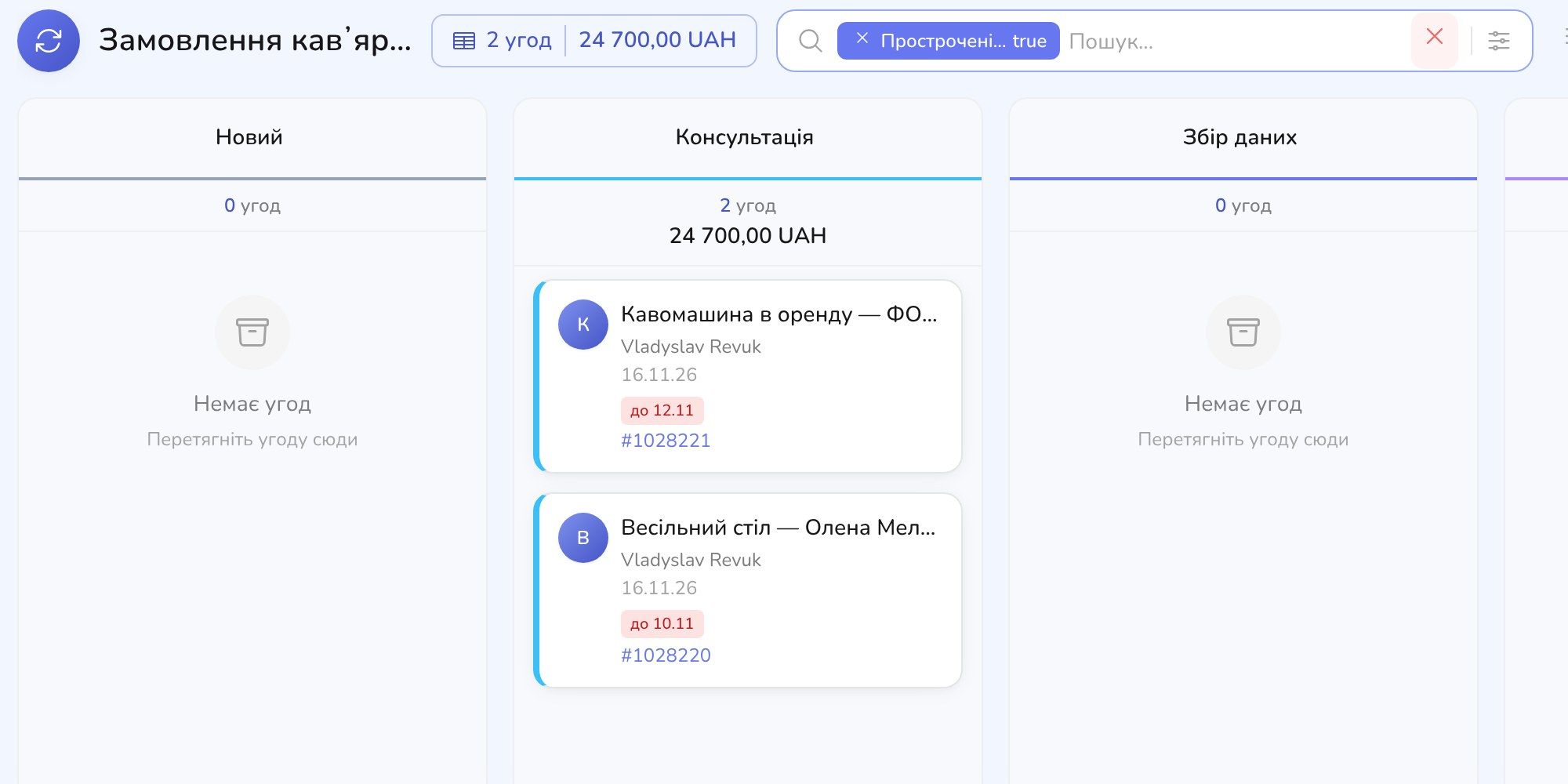
With a lot of cards, the red ones don't always jump out. Click the filter icon in the search bar above the board and switch on "Overdue (stuck)". Confirm with the check mark in the search bar.
Only deals past their limit stay on the board, and the total is right at the top: 2 deals worth 24,700 UAH. The filter is saved in the page address, so you can send the link to a sales lead.
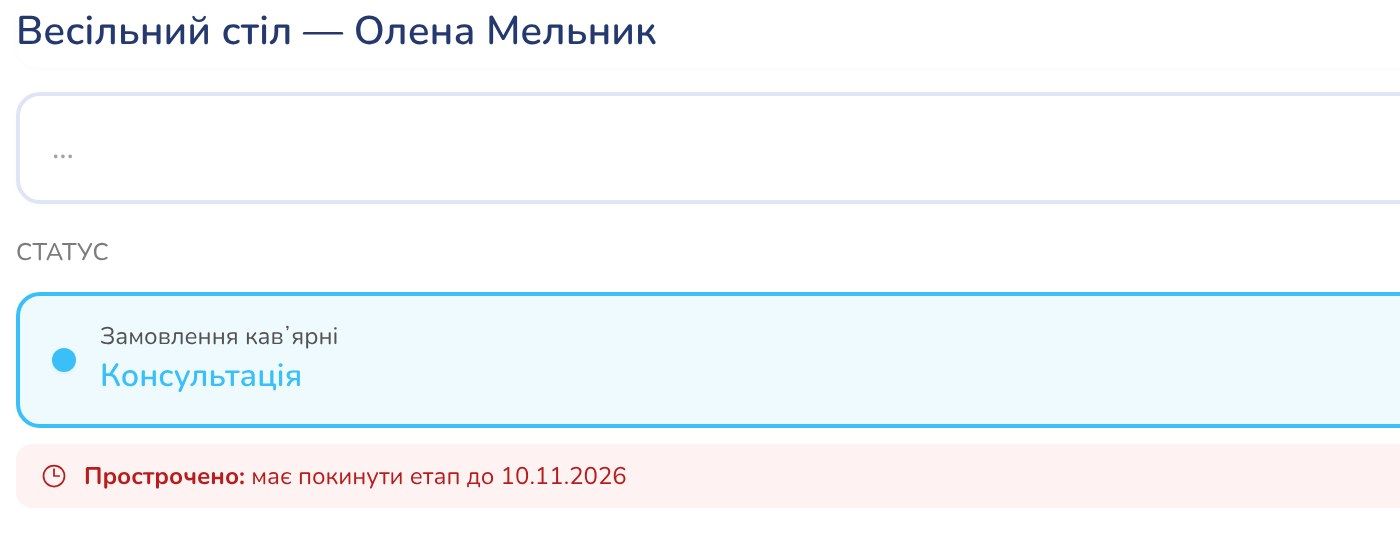
Inside a deal you also see a line under the stage. When the limit has passed, it says the deal is overdue and shows the date it had to leave the stage (here 10.11.2026).
Let the CRM remind you
The responsible manager gets a notification that the deal is stuck in a status. The CRM checks deals every hour and sends one notification per stuck deal. You can also set up an automation with the trigger for a deal stuck in a status: for example, when a deal has sat in "New" for more than two days, the CRM creates a task for the sales lead.
What to do with a red card
Open the deal and see what it is waiting for. Often one call or message to the client is enough. If the deal is no longer relevant, move it to the lost stage: a "Loss reason" field appears there where you can write why it didn't work out.
If the deal is waiting on the client rather than on your manager, change the date in the limit field. The limit moves, and the badge turns grey again.
Where to start
Pick the stage where you lose the most customers. Usually it's the first one: an inquiry arrives and nobody answers. Give it 2 days, save, and look at the "Overdue" filter a week later. If there are too many red cards, the limit is too short. If there are none and you still lose customers, shorten it more.
See which deals are sitting untouched right now
Sign up for free, set a 2-day limit, and the CRM highlights in red the deals nobody has touched.


